



Yesterday, I wrote an article on how to block certain countries from your server using csf. This will block them from accessing your server on any port. You can, however use mod_geoip if you’d like to block them from accessing your web site(s). You might want to do this if the csf approach creates too many iptables rules for your server to handle.
This is an article on how to install and use mod_geoip2 in cpanel. The short version is that you download it, extract it into the easyapache custom modules directory, then run easyapache to enable it.
Here’s the detailed version.
1. SSH to your server as root.
2. Grab the lastest version from cPanel:
|
1 |
wget http://docs.cpanel.net/twiki/pub/EasyApache/EasyApacheCustomModules/custom_opt_mod-mod_geoip.tar.gz |
(If that link does not work, view the cPanel custom modules page to get the correct link)
3. Unpack it into cPanel’s easyapache dir:
|
1 |
tar -C /var/cpanel/easy/apache/custom_opt_mods -xzfv custom_opt_mod-mod_geoip.tar.gz |
4. Run easyapache in choose the mod_geoip option
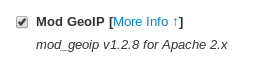
5. Save and build your easyapache choices
6. Tell apache about the GeoIP dat file:
Edit /usr/local/apache/conf/includes/pre_main_global.conf and add the following into it:
|
1 2 |
GeoIPEnable On GeoIPDBFile /opt/geoip/share/GeoIP/GeoIP.dat |
Restart apache:
|
1 |
service httpd restart |
7. Start blocking!
– Server wide:
Edit /usr/local/apache/conf/includes/pre_main_global.conf again and make it look like this:
|
1 2 3 4 5 6 |
GeoIPEnable On GeoIPDBFile /opt/geoip/share/GeoIP/GeoIP.dat RewriteEngine on RewriteCond %{ENV:GEOIP_COUNTRY_CODE} ^(RU|CN|TH)$ RewriteRule ^(.*)$ http://www.linuxbrigade.com$1 [L] |
This will block Russia, China and Thailand access globally to all websites on the server.
Restart apache:
|
1 |
service httpd restart |
– Site by site:
Add the following into an .htaccess file for your website in its DocumentRoot
|
1 2 3 |
RewriteEngine on RewriteCond %{ENV:GEOIP_COUNTRY_CODE} ^(RU|CN|TH)$ RewriteRule ^(.*)$ http://www.linuxbrigade.com$1 [L] |
This will block Russia, China and Thailand access to that website.
If you’d rather only allow certain countries, use something like this:
|
1 2 3 4 5 6 7 8 9 |
# Allowed countries get environement is_allowed SetEnvIf GEOIP_COUNTRY_CODE US is_allowed SetEnvIf GEOIP_COUNTRY_CODE CA is_allowed Deny from all Allow from env=is_allowed # To allow a specific IP address from one of the countries you have denied, add here Allow from 12.34.56.78 |
You can view a full list of countries here: http://dev.maxmind.com/geoip/legacy/codes/iso3166/
More mod_geoip2 information: http://dev.maxmind.com/geoip/legacy/mod_geoip2/
If you need assistance with this, I’d be more than happy to set this up for you. You can contact me through my Linux support site.
Related posts from Linux Brigade!
 Globally disable directory listing on WHM/cPanel One of the things that WHM/cPanel servers have on by default is directory listing. This is something you don’t want – but it’s easy to fix!
1. Log into WHM
2. Apache Configuration […] Patch your WHM/cPanel machine for heartbleed You’ve certainly heard about Heartbleed by now. If not, you can read more about this vulnerability at Heartbleed.com. Continue reading this post to find out if you’re vulnerable, and how […]
- Block account from sending mail WHM/cPanel There may come a time when you’d like to block an account / domain on your WHM/cPanel server from being able to send mail. Here’s how you’d get it done!
We’re going to set up a […]
- Migrate WHM/cPanel from one server to a new one (script)! We’ve started a site to house a script that will migrate your full WHM/cPanel server to new hosting. This takes the new WHM/cPanel backup files and will restore them including system […]
 Manually run ClamAV on cPanel and check every user If you’re running WHM/cpanel and want to run a scan on every user manually, perhaps when first installing ClamAV, you’ll want to run this command which is endorsed by cPanel […]






Users from certain countries are up to no good a lot of the time. Blocking them will come in very handy. Thank you for your offer of assistance as well, very kind of you.
yaa thats true thanks